Bring Old Photos to Life with These 5 Apps
If you have old photos and want to transform them into vivid, sharp, colorful images, applications with artificial intelligence are the perfect solution. They use cutting-edge technology to restore, colorize and even animate historical portraits, all right on your phone. Discover the 5 Best AI-Powered Apps to Bring Old Photos to Life available on the Play Store!
1. Remini - AI Photo Enhancer

Remini - Enhance Photos with AI
AndroidAdvantages of the Application
Instant restoration of old photos
Remini uses advanced AI to restore sharpness, remove blur, and restore lost details in old photos with just one tap.
High resolution enhancement
In addition to restoring, the app automatically increases the image resolution, ideal for printing or sharing in maximum quality.
User-friendly interface
Even for those who don't understand anything about editing, the application is simple to use. Just upload the image and wait for automatic processing.
Realistic and impressive results
The restorations made by Remini impress with their naturalness, recreating textures, hair, eyes and facial details with high precision.
Constant updates with new features
The app receives frequent updates, offering increasingly advanced tools, such as automatic coloring and nostalgic filters.
Common questions
Yes, the app has a free version with limited features. There is also a premium plan with unlimited features and faster processing.
Yes, it works. The better the image is scanned, the better the results. Even photos that are over 50 years old can be restored.
2. Colorize - Colorize Old Photos
Colorize - Bring Photos to Life
AndroidAdvantages of the Application
Automatic colorization of black and white photos
The app applies realistic colors to old photos in seconds, using algorithms trained on thousands of historical images.
Vintage filters and manual adjustments
In addition to automatic coloring, you can apply retro filters and make fine adjustments to customize the result.
Ideal for family albums
Perfect for reliving family memories, bringing out colors and emotions that were stored in old photos.
High quality export
You can save the restored image in HD and easily share on social networks or print for physical albums.
Fast and hassle-free processing
With just a few taps, the photo is automatically colored, without the need to select areas manually.
Common questions
The app uses historical patterns and natural tones, but it is not a substitute for real memory. Still, the results are very convincing.
Yes, after automatic processing, you can adjust brightness, saturation and contrast to further improve the coloring.
3. MyHeritage – Deep Nostalgia

MyHeritage: Live the Nostalgia
AndroidAdvantages of the Application
Old photo animation
The Deep Nostalgia feature brings old photos to life, making faces blink, smile or look away naturally.
Exciting and nostalgic effects
Watching an old image "come to life" is deeply moving, especially portraits of deceased family members.
Easy to use and completely online
Just upload the image and wait for the animation. The processing takes place in the cloud, without weighing down your device.
Data security and privacy
MyHeritage is a reliable company, with data protection and clear policies on the use of uploaded images.
Family tree integration
You can build your family tree and add animated photos to profiles, creating an interactive experience.
Common questions
Basic animation is free, but to make multiple animations you need to subscribe to a paid plan.
Yes, the system uses AI to create smooth, natural movements, with surprising and exciting results.
4. Pholorize: Old Photo Colorizer

Pholorize Colorize - Colorize Old Images
AndroidAdvantages of the Application
High precision coloring
Pholorize applies colors with balance and fidelity, preserving the original texture of the image.
Detailed manual adjustments
Allows you to edit each area of the photo, adjusting tone and intensity to achieve the most faithful look possible.
Support for portraits and landscapes
In addition to faces, it is also efficient in coloring scenes, clothes, objects and group photos.
Result ready for printing
Finished photos can be exported in high resolution, perfect for framing and personalized gifts.
Simplicity and agility
With just a few taps, the image is processed and ready to be saved or shared.
Common questions
Yes, the sharper the scan, the better the result. But even old, faded images can be transformed.
The free plan allows a few restores per week. For unlimited use, you need to upgrade to the Pro version.
5. AI Photo Enhancer & Colorizer
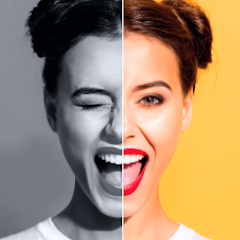
Colorize photos with AI
AndroidAdvantages of the Application
Full AI Edition
The app combines restoration, coloring, and sharpening features in one place, all powered by artificial intelligence.
Modern and intuitive interface
Ideal for any user, from beginners to professionals, with simple controls and real-time visual feedback.
Multiple coloring styles
You can choose between classic, realistic or artistic styles when coloring your old photos.
Auto Sharpen
Even shaky or blurry photos are corrected, revealing hidden details and improving clarity.
Ideal for social networks
The app exports files optimized for sharing on Instagram, Facebook, and other platforms.
See more
- Find the Love of Your Life Here
- Apps That Generate Extra Income
- How to Get Free Items on Shopee
- Get 5 Free 100% Items at Temu
- Choose 3 Gift Items from Shein
- Watch Netflix for Free on Your Phone or Computer
Common questions
Yes, in addition to colorizing black and white, it also enhances old color photos by adjusting brightness, contrast, and definition.
Yes, it is possible to edit every aspect of the image after auto-colorization is applied.