Apps to Find Your Lost or Stolen Cell Phone
 Put Mobailes Editorial Staff
0
Losing your cell phone or having it stolen can be a desperate situation. However, with the advancement of technology, it is now possible to track the location of a smartphone in real time using just one app. There are several apps to track cell phones which help you find your lost device and, with transparent parental controls, monitor a minor child's cell phone.
Additionally, many of these apps offer extra features like remote locking, theft alerts, and location history. So, if you want to keep your phone and data protected, keep reading and learn about the best apps available for this purpose.
Why use an app to track your cell phone?
Nowadays, cell phones store personal information, passwords, photos and important documents. Therefore, losing or having it stolen can cause serious problems. Fortunately, best apps to locate cell phone allow you not only to find the device, but also to protect the stored data.
Furthermore, many of these apps make the phone ring even in silent mode and show the last known location. In other words, they significantly increase your chances of recovering your phone.
Features of tracking apps
Most of the free gps cell phone tracking apps includes:
- Real-time location
- Route history
- Suspicious movement alerts
- Remote data blocking and wiping
- Integration with other devices
In this way, the apps serve to locate your own device or, with transparent parental controls, that of a minor child.
The best apps to track cell phones
1. Find My Device (Google)
O Find My Device, From Google, it's the official Android app for locate your own cell phone, It's linked to your Google account. It allows you to locate your phone in real time, sound an alarm even in silent mode, lock the screen, and even remotely erase data.
Furthermore, it is completely free and compatible with any Android device. Therefore, it is the first recommended option for those who want a quick and efficient solution.
2. Life360
O Life360 is a complete family tracking solution. Ideal for parents who want to track their children's location, it offers real time tracking, location arrival and departure alerts, and location history.
In addition, it has emergency features, such as a panic button and automatic alerts in the event of an accident. With this, Life360 is considered the best GPS cell phone location app for family use.
3. Search (iPhone)
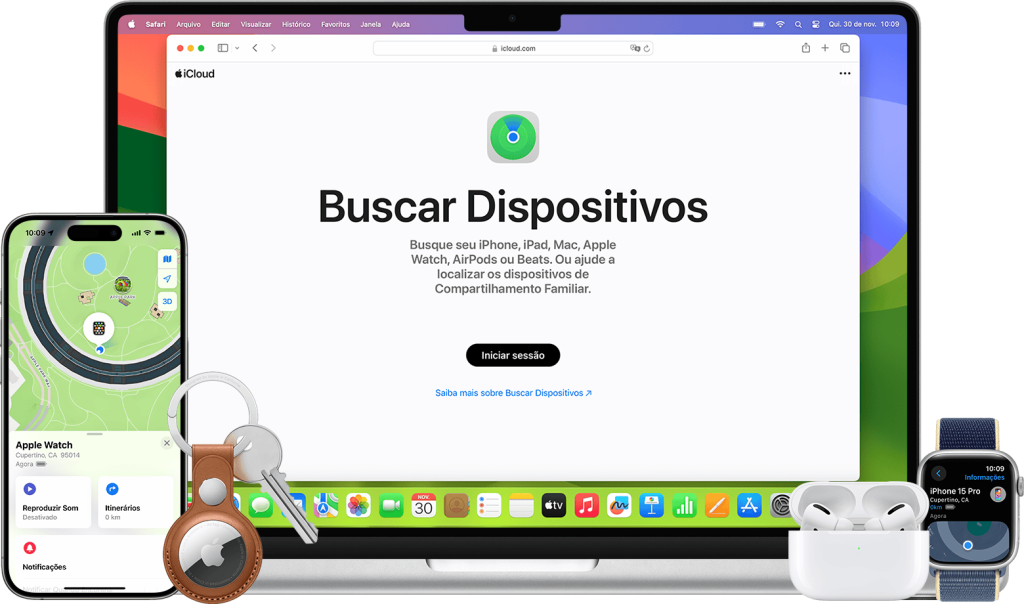
On iPhone, the app Search Apple's Find My device locates your device on a map, plays a sound, activates Lost Mode, and allows you to remotely erase data. It comes pre-installed and works with your Apple ID.
It's the official option for iPhone users, equivalent to Android's Find My Device. It works for your own device, linked to your account.
4. Prey Anti Theft
O Prey is an efficient and lightweight option for those looking for app to find missing cell phone. It works on both Android and iOS and allows you to track multiple devices with a single account.
Additionally, it provides detailed location and movement reports, making the recovery process faster and more accurate.
5. Where's My Droid
As the name suggests, the Where's My Droid It is focused on Android users. It offers features such as GPS location, remote alarm, code lock and even front camera activation to capture images of the potential thief.
In other words, it is ideal for those looking for a app to track cell phones in real time and with additional security features.
How to download and install a tracking app
To install one of the apps to track cell phones on your smartphone, follow these simple steps:
- Access the Play Store or App Store
- Search for the name of the desired app (e.g. “Find My Device” or “Life360”)
- Tap on Install and wait for the download
- Open the app and grant the necessary permissions
- Follow the setup instructions and create your account if necessary.
Right after installation, tracking can be activated and you are ready to protect your device.
Is it possible to track a cell phone using only its number?
No. No app can locate a device using only a phone number, and any website or app that promises this is a scam. Legitimate tracking works for... your own device, This can be linked to your Google or Apple ID account, or to a minor child's phone with transparent parental controls set up, such as Google Family Link. Locating someone else's phone without their knowledge is not allowed.
Conclusion: security and practicality in the palm of your hand
In short, the apps to track cell phones are powerful tools to ensure the security of your data and that of your loved ones. With features such as GPS tracking, remote locking and movement alerts, these apps offer peace of mind in times of emergency.
Therefore, install one of the recommended applications right now and keep your device protected 24 hours a day. After all, prevention is always better than cure — and your phone deserves this protection.