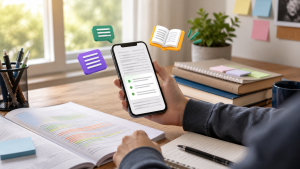
Using a VPN is no longer just for tech professionals. Today, many people search for the best VPN apps because they use public Wi-Fi networks, access banking services via mobile phone, work outside the home, or want to reduce data exposure on less reliable connections.
Despite this, a VPN doesn't make anyone invisible on the internet. It can help protect part of the connection, but it doesn't replace strong passwords, two-step authentication, system updates, and vigilance against scams.
To make a safer choice, it's ideal to understand how this type of app works, what its limitations are, and what signs indicate a more reliable option. This way, the decision no longer depends solely on advertising, price, or popularity.
What does a VPN do in practice?
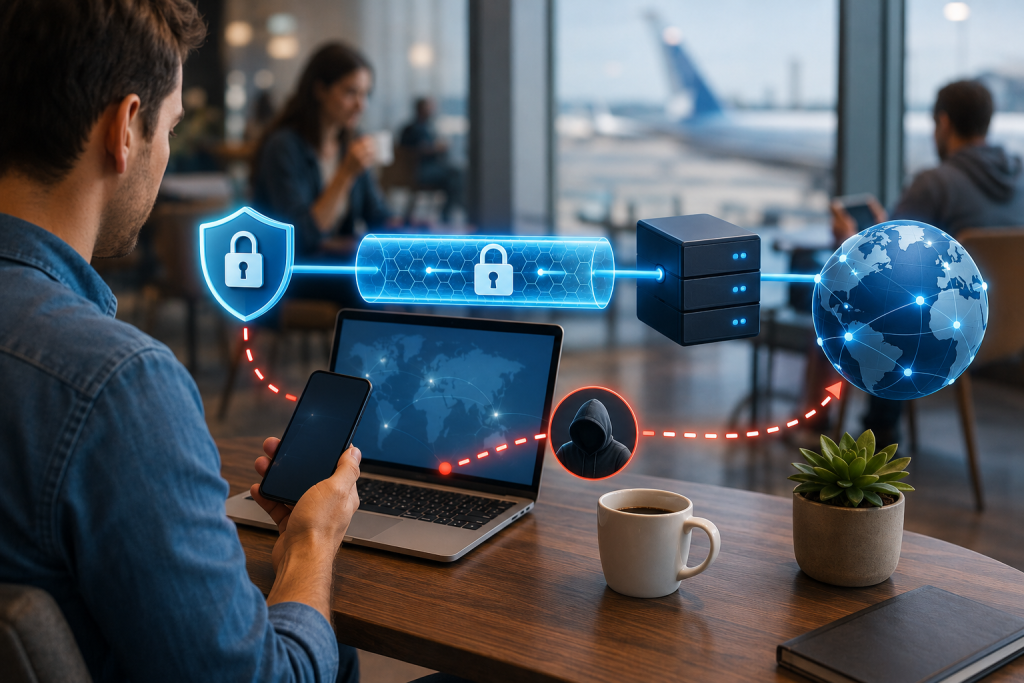
VPN stands for Virtual Private Network. In practice, the application creates an encrypted path between your device and a VPN company's server, reducing the exposure of data on the local network being used at that moment.
This can be useful when using Wi-Fi in airports, hotels, coffee shops, colleges, or shopping malls. In these situations, other people may be on the same network, and an extra layer of protection helps reduce risks.
Even so, a VPN doesn't solve everything. If you click on a fake link, download a malicious app, or type your password on a fraudulent page, the problem persists.
Source: Mozilla — what is VPN
Best VPN apps to compare with criteria.
A helpful list shouldn't treat VPNs as a popularity contest. The most important thing is to consider criteria such as privacy policy, clarity about data collection, audit history, ease of use, support for your device's operating system, and company transparency.
The options below are well-known in the global market and frequently appear in technical analyses, editorials, and discussions about privacy. However, none of them should be considered perfect for every situation.
Proton VPN
Proton VPN is often remembered for its focus on privacy and for offering apps for different platforms. For beginner users, its main advantage is its relatively simple interface and straightforwardly organized features.
Furthermore, it may make sense for those who already use other services within the Proton ecosystem. Before choosing, however, it's worth checking which features are available in the country, on the operating system used, and the type of account chosen.
Mullvad VPN
Mullvad VPN is a frequently mentioned option in privacy discussions because it reduces the need to provide personal data during registration. This feature may appeal to those who want to avoid excessive information linked to their account.
On the other hand, the app may seem less familiar to those seeking a highly guided experience. Therefore, it tends to appeal more to those who value technical simplicity, transparency, and direct control.
IVPN
IVPN also appears among options focused on privacy and conscious use. It is often sought after by people who want to better understand features such as tracker blocking, multiple connections, and protection against data leaks.
Like any tool of this type, it requires careful reading of the settings. A misunderstood advanced feature can cause slowness, blocked access to some services, or difficulty using everyday applications.
Mozilla VPN
Mozilla VPN can be an interesting alternative for those who prefer a brand associated with open internet projects and digital education. The offering tends to be more accessible for users who don't want to deal with numerous configurations.
Even so, it's important to check availability by country, compatibility with your device, and usage limits. In some cases, a simple tool works well; in others, the user needs more advanced features.
NordVPN
NordVPN is a well-known option offering broad international coverage and apps for various devices. For those who travel, work remotely, or switch between computers and mobile phones, this coverage can make daily use easier.
However, the choice should not be based solely on the number of servers or advertising presence. Read the privacy policy, review independent audits, and assess whether the extra resources will actually be used.
Surfshark
Surfshark often attracts attention for allowing use on multiple devices and for having a user-friendly interface. For a family or individual with a cell phone, laptop, and tablet, this can simplify their routine.
However, ease of use doesn't eliminate the need for caution. Check settings such as automatic connection on public Wi-Fi, DNS leak protection, and connection blocking if the VPN drops.
ExpressVPN
ExpressVPN is known for its simple user experience and compatibility with various systems. For intermediate users, it can be useful when the priority is to quickly install, connect, and understand the protection status.
Still, it's worth comparing data policy, technical features, and cost based on actual usage. A well-reviewed VPN might not be the best choice if it doesn't work well on the devices and networks you use.
How to evaluate a VPN before installing
The first step is to check if the app is available in official app stores, such as Google Play or the App Store, and if the developer matches the real company. Similar apps, with almost identical names, can confuse novice users.
Next, read the description carefully and note what permissions are requested. A VPN application needs to create a network connection, but it shouldn't ask for unnecessary access to photos, contacts, or personal files without a clear explanation.
It's also worth checking recent reviews, not just the overall rating. Current comments may indicate connection problems, confusing billing, instability after updates, or difficulty canceling services.
A safe step-by-step guide to getting started.
Before installing, define the reason for use. This could be protection on public Wi-Fi, basic privacy while browsing, remote work, or organizing the family's digital security.
Next, download the app only from the official store or the company's official website. Avoid files sent via messages, groups, or unknown pages, as this increases the risk of installing a pirated version.
After installing, activate the VPN and test it in a simple situation, such as regular browsing. If banks, work applications, or streaming services show errors, you may need to change the server or temporarily disable it as a precaution.
Finally, review your security settings. Features like automatic connection to unknown networks, kill switches, and DNS leak protection can be useful, provided you understand how they work.
Common mistakes that undermine protection.
A common mistake is believing that a VPN prevents all types of scams. It may protect part of the connection path, but it doesn't automatically identify fake websites, falsified payment slips, fraudulent messages, or dangerous applications.
Another problem is using free VPNs without reading the data policy. Some tools may limit speed, display ads, collect usage information, or offer less protection than the user expects.
It's also common to leave the app installed but disconnected. In this case, the expected protection isn't working, especially on public networks or shared connections.
Source: FTC — VPN apps
How to adapt the choice to your context.
In Brazil, many people use their cell phones as their primary device for banking, shopping, messaging, documents, and work. Therefore, a VPN should be considered in conjunction with real-world habits, not as an isolated tool.
Those who work in coworking spaces, travel frequently, or use hotel internet can benefit from automatic connection to public networks. Those who only use their home network, however, may need to prioritize strong passwords, an updated router, and two-step authentication.
For families, the choice may involve several different devices and user profiles. Children, the elderly, and people less familiar with technology need a simple, stable, and easy-to-explain setup.
Legal precautions and usage limits
Using a VPN, in itself, does not authorize violating laws, platform terms, work rules, or institutional policies. The tool protects the connection, but it does not transform a prohibited action into a permitted one.
Companies, schools, and public institutions may have their own rules for remote access. Therefore, those using VPNs in a professional environment should follow the guidelines of the IT department or the person responsible for information security.
It's also important to remember that some services may block access when they detect a change of location, unusual behavior, or a risk of fraud. In these cases, persisting without understanding the reason may result in temporary blocks.
When to seek professional help
Specialized assistance may be needed when a VPN will be used for remote work, access to internal systems, protection of customer data, or business operations. In this scenario, a home setup may not be sufficient.
It's also worth seeking support if you suspect a hack, password leak, account cloning, financial fraud, or the installation of an unknown application. A VPN does not repair damage already caused by malware or fraud.
For small businesses, an IT professional can provide guidance on access control, passwords, backups, multi-factor authentication, and usage policies. Protection improves when multiple layers work together.
Ongoing digital security measures
A VPN should be part of a larger routine. Updating the operating system, browser, and applications reduces known vulnerabilities and prevents the device from being exposed due to lack of basic maintenance.
It is also recommended to use different passwords for important services and enable two-step authentication whenever possible. This way, even if a password is leaked, unauthorized access becomes more difficult.
Another simple precaution is to review installed applications. If you don't recognize an app, no longer use it, or notice strange permissions, it's worth removing and investigating before continuing to use the device normally.
How to compare options without falling for empty promises.
Promises like total anonymity, absolute security, or a completely invisible internet should be viewed with caution. A VPN reduces certain risks, but it doesn't eliminate tracking through logins, cookies, browser fingerprinting, or behavior within platforms.
A responsible comparison considers privacy policy, audits, company history, support, compatibility, stability, speed, and ease of cancellation. These points often say more than catchy slogans.
Consumer Reports recommends caution with free VPNs and emphasizes that the choice should consider privacy, security, and transparency. This approach helps users move beyond simply choosing the most popular one and focus on suitability for their intended use.
Source: Consumer Reports — VPN
Limits of what the user can do alone.
A beginner can install, test, enable automatic connection, and review basic permissions. They can also observe if the application makes the internet too slow or causes failures in essential services.
However, there are clear limitations. Setting up a VPN on a router, integrating it with a corporate network, protecting sensitive customer data, or investigating data breaches requires greater technical knowledge.
If the concern involves company security, remote access, contracts, third-party personal data, or suspected cybercrime, it's best to seek professional support. Improvising can increase the risk instead of reducing it.
A rule of thumb for making safe decisions.
A good rule of thumb is to choose the option that you can understand, configure, and maintain correctly. A feature-rich but poorly configured application may offer less protection than a simpler alternative used consistently.
It's also worth considering the main reason. For public Wi-Fi, automatic connection and stability may be more important; for privacy, data policy and audits become more significant; for work, technical support and compatibility are fundamental.
If the choice is still unclear, narrow the decision down to three questions: Does the app clearly explain what it collects, does it work on my devices, and does it address my main risk? If any answer is uncertain, investigate further before relying on it.
Practical checklist
- Please confirm whether the app was downloaded from the official store or the company's official website.
- Verify that the developer's name matches the actual brand of the service.
- Read the privacy policy before creating an account or activating the connection.
- Check if the app requests permissions that are not clearly related to safe browsing.
- Test the VPN on a regular network before relying on it while traveling or working.
- Enable automatic connection only for public or unknown networks, when available.
- Check if there's a connection blocking feature in case the VPN drops.
- Avoid installing APK files received via message, groups, or unknown websites.
- Use two-step authentication for important services, even when using a VPN.
- Keep your phone, browser, and apps updated.
- Be wary of promises of total anonymity or absolute protection.
- Check if banking and work applications are functioning correctly with the connection active.
- Periodically review your installed apps and remove any you no longer use.
- Seek technical support if you suspect an intrusion, data breach, or financial fraud.
Conclusion
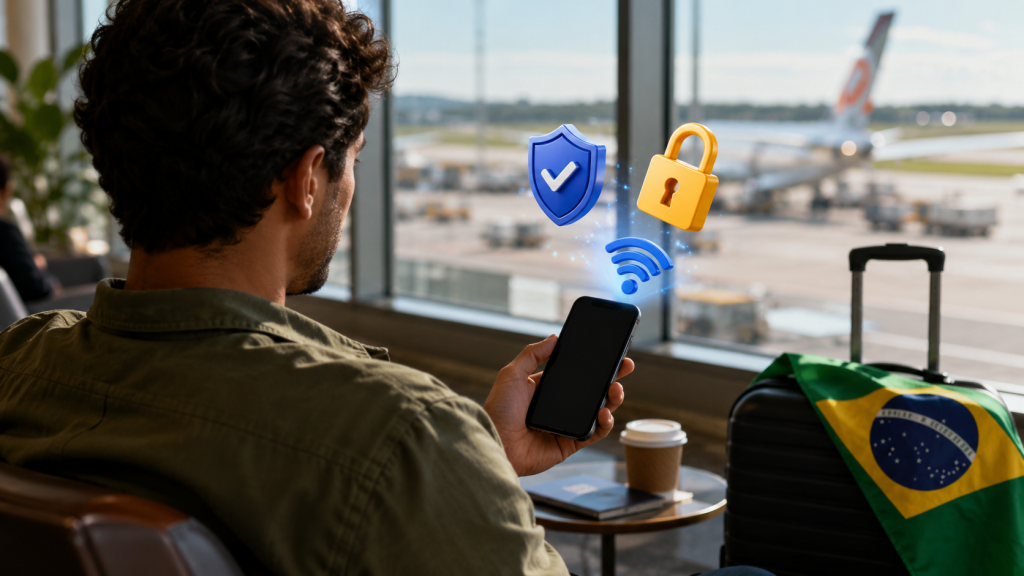
A VPN can be a useful tool for reducing risks on public networks, better organizing privacy, and increasing security in certain situations. However, it works best when it's part of a larger digital protection routine.
Comparing apps carefully helps avoid choices based solely on ads, price, or popularity. The safest approach is to consider transparency, compatibility, ease of use, and the tool's actual limitations.
Have you ever used a VPN on your phone or computer? What was the biggest challenge in figuring out if it was working correctly?
Are there any specific situations, such as traveling, banking, remote work, or using public Wi-Fi, that still create insecurity in your daily life?
Common questions
Does a VPN make the internet completely anonymous?
No. It may hide part of the local network and provider connection, but it does not erase login traces, cookies, website behavior, or voluntarily provided data.
Is it okay to use a VPN on public Wi-Fi?
This can be useful, especially on open networks in airports, hotels, coffee shops, or shopping malls. Still, avoid clicking on suspicious links and keep two-step authentication enabled.
Is a free VPN always dangerous?
It's impossible to say this in every case. However, it's essential to check how the company supports the service, what data it collects, and what limitations exist.
Does a VPN protect against viruses?
Not necessarily. It protects the connection in certain areas, but it doesn't replace antivirus software, updates, careful downloading, and attention to fake websites.
Can I use a VPN to access my bank account?
In many cases, yes, but some banks may block access for security reasons if they detect unusual location or behavior. If there is a block, follow the bank's own instructions.
Does VPN slow down the internet?
You can leave it as is, because the traffic goes through an intermediary server. The drop rate varies depending on the distance from the server, network quality, device, and configuration used.
Do I need to leave the VPN on all the time?
It depends on the context. On public Wi-Fi, it might be useful to keep it active; at home, other measures might be more important, such as an updated router and strong passwords.
Should companies use a standard mobile VPN?
Not always. Corporate environments may require their own solution, access control, internal records, and specialized technical support.
Useful references
Mozilla — educational explanation about VPN: Mozilla — what is VPN
FTC — precautions when using VPN apps: FTC — VPN apps
Consumer Reports — a guide to making safe choices: Consumer Reports — VPN