How to Block Spam and Scam Calls on Your Cell Phone
If your cell phone rings several times a day with unknown numbers, Offers you didn't ask for and calls that drop as soon as you answer—you're not alone. Luckily, there's a way to... Block spam calls and significantly reduce this inconvenience by using features that already exist on your device.
In this guide, you'll understand why these calls have increased, what tools help filter them, and how to avoid scams that often begin with a simple phone call.
Why do I receive so many calls from unknown numbers?
Telemarketing companies and automated systems make thousands of calls per hour. Often, they dial random sequences of numbers without knowing who is on the other end. When someone answers, the system understands that the number is active and starts calling more frequently.
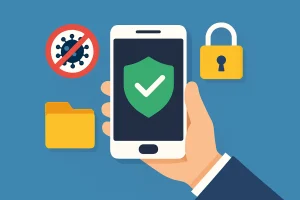
Furthermore, scammers use the phone to try to obtain personal data, passwords, or money transfers. Therefore, filtering calls is not just a matter of peace of mind: it's also a way to protect you and your family.
Advantages of filtering unwanted calls
Fewer interruptions in your daily life.
With the filter activated, suspicious calls are silenced or identified before you answer. This way, you don't have to stop what you're doing every time it rings.
Knowing who is calling
Caller ID displays warnings such as "possible spam" or "telemarketing." This way, you can make a more informed decision about whether it's worth answering.
More protection against scams.
Many scams begin with a phone call. The fewer suspicious calls you receive, the lower the chances of falling for a deceptive conversation.
Peace of mind for the family
Parents and grandparents often answer any number. Setting up a filter on their cell phones is a simple precaution that makes a difference.
No cost in most cases.
Android and iPhone already have built-in blocking options. There are also free official registration forms to block telemarketing calls in several countries.
How to block spam calls in a few steps.
Step 1: Open the Phone app on your mobile phone and go to settings.
Step 2: Activate the spam identification and filtering option (on Android) or the option to silence unknown numbers (on iPhone).
Step 3: Manually block numbers that keep calling directly from your recent calls list.
Step 4: Register your number on your country's official no-telemarketing list.
Step 5: If you want more protection, use a well-rated caller ID app and review the permissions it requests.
The complete step-by-step instructions, with the exact path on Android and iPhone, are in the "Block calls now" button at the top of this page.
Important precautions before attending
No filter is perfect: some new numbers may slip through before being identified. Therefore, it's worth maintaining certain habits. Don't confirm personal information over the phone, don't provide codes received via SMS, and be suspicious of any urgent payment or transfer requests.
If the caller claims to be from your bank or a store, hang up and contact them through official channels you are already familiar with, such as the number printed on your card or the company's app.
See more
- Step-by-step guide to blocking calls on Android and iPhone.
- Phone and text message scams: the most common ones and how to protect yourself.
- How to free up memory on your cell phone.
Common questions
On iPhone, blocking a contact prevents calls, FaceTime, and messages from them. On Android, it depends on the device, but generally the block applies to calls and SMS. In messaging apps, such as WhatsApp, you need to block from within the app itself.
It's possible that a legitimate call from an unknown number might get caught in the filter, such as one from a delivery person or a doctor's office. These calls will still appear in your call history and voicemail, so you can call them back later.
No. Official registries, such as the "Do Not Disturb" registry in Brazil, are free. Be wary of any website or call that charges you to add your number to these lists.
The most well-known apps are used by millions of people, but it's important to only download from the official store, read reviews, and check what permissions the app requests, especially access to contacts.
Hang up without giving any information. If you have already provided data or made any payments, contact your bank through official channels as soon as possible and file a police report.